
Mazda CX-5 Service & Repair Manual: Airflow Mode Actuator Removal/Installation [Full Auto Air Conditioner]
1. Disconnect the negative battery cable..
2. Remove the following parts:
a. Dashboard under cover.
b. Glove compartment.
3. Disconnect the airflow mode actuator connector.
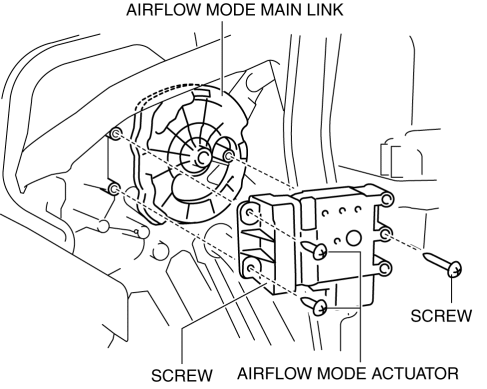
4. Remove the screw.
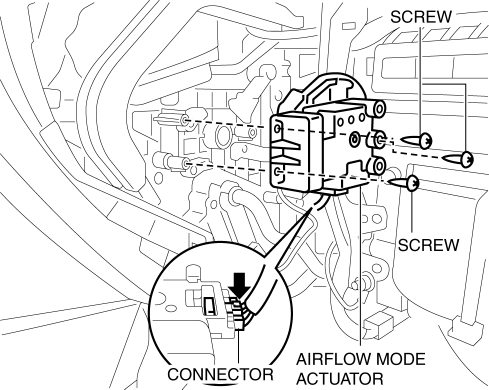
5. Remove the airflow mode actuator.
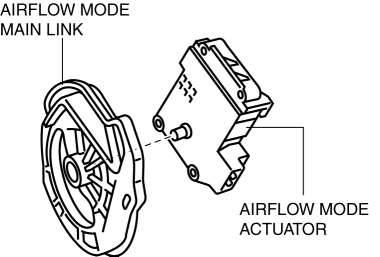
6. Remove the airflow mode main link.
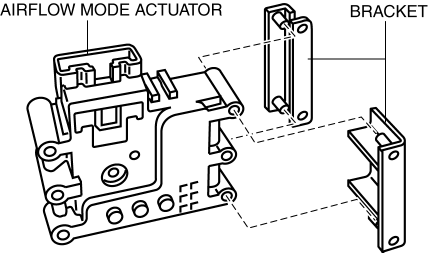
7. Remove the bracket.
8. Install in the reverse order of removal..
Airflow Mode Actuator Installation Note
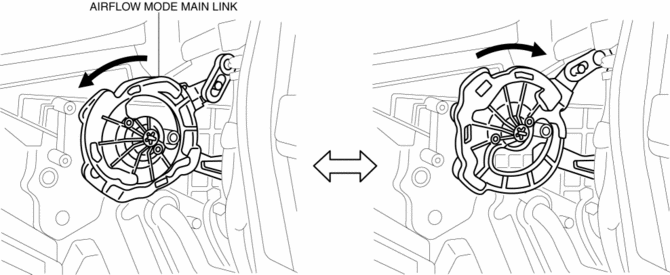
1. Align the airflow mode main link and the airflow mode sub link projection as shown in the figure.
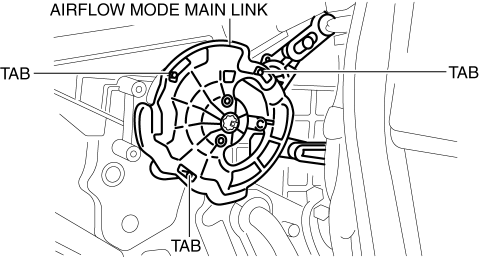
2. When lightly pressing the airflow main link to rotate it in the direction of the arrow, verify that the airflow mode door switches to the position for each mode.
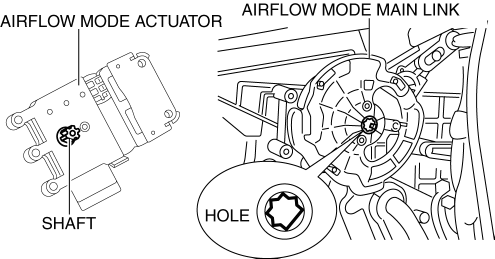
3. Align the airflow mode main link installation hole with the shape of the airflow mode actuator shaft, and install while holding the airflow mode main link.
 Airflow Mode Actuator Inspection [Full Auto Air Conditioner]
CAUTION:
If the lever position exceeds the operation range shown in the figure, the
circuit in the actuator could be damaged. Always perform an actuator operation
inspection with the lev ...
 Airflow Mode Actuator [Full Auto Air Conditioner]
Purpose
The airflow mode actuator moves the mode door in the A/C unit to switch the
air vent.
Function
Door open/close function
The airflow mode actuator drives the motor based ...
Other materials:
Power Seat System
Outline
The power seat system drives the electric motor, operates the front seat
safely, and changes the driving posture to suit the occupant by operating the
power seat switch.
8 way power seats or 6 way power seats have been adopted on the driver's
seat.
Function
...
Rear Body Straight Line Dimensions (1) [Dimensions]
Point symbol
Designation
Hole diameter or bolt or nut size mm {in}
A
Liftgate hinge installation hole
?12 {0.47}
B
Liftgate stay damper installation hole
?10 {0.39}
...
Replace Electrical Battery
If the buttons on the transmitter are inoperable and the operation indicator
light does not flash, the battery may be dead.
Replace with a new battery before the transmitter becomes unusable.
CAUTION
● Make sure the battery is installed correctly.
Battery leakage could occur if it is no ...
